

Yes, a school emergency notification system can work entirely via text message without requiring an app. BluePoint Alert Solutions provides a text-first architecture that sends alerts to standard SMS endpoints, ensuring maximum reach for parents and staff. This guide covers how to choose, verify, and implement text-based emergency communication for your campus.
How to Choose a Text-First System
Selecting a notification platform requires looking beyond basic broadcast features. A robust system must prioritize delivery reliability over fancy user interfaces. The core differentiator is the underlying communication pathway. Text-first architecture is a design philosophy that prioritizes SMS and voice calls as the primary delivery mechanisms, ensuring that alerts reach users who do not have smartphones or data plans. This approach is critical for inclusive safety in diverse school districts.
Delivery Reliability vs. Feature Bloat
Many modern platforms focus on app-based features like push notifications and in-app chat. While useful, these features fail if the user has not installed the app or has disabled notifications. A text-first system bypasses these barriers. It uses standard cellular networks to deliver messages. This ensures that the alert reaches the user's device regardless of their technical proficiency or device type.
Two-Way Communication Capabilities
One-way alerts are insufficient for modern emergency management. You need a system that allows for two-way communication. BluePoint Alert Solutions integrates a Command & Control platform that enables responders to receive text replies from parents and staff. This creates a feedback loop that provides real-time situational awareness. The ability to ask "Are you safe?" and receive a "Yes" or "No" is a critical feature for verifying the safety of the school population.
Questions to Ask Before Committing
Before signing a contract, you must interrogate the vendor on their technical infrastructure. Ask specific questions that reveal the system's limitations. Do not accept vague answers about "high reliability." Demand specifics about their network redundancy and failover mechanisms.
Network Redundancy and Failover
Ask the vendor how their system handles cellular network congestion. During a major emergency, local cell towers can become overloaded. A robust system uses multiple carriers and routing paths to ensure delivery. BluePoint systems utilize redundant communication pathways, including cellular failover, to ensure alerts are transmitted even if the primary network fails. This is a non-negotiable requirement for any school safety system.
Integration with Existing Infrastructure
Ask how the system integrates with your existing security hardware. Can it trigger from a physical pull station? Can it integrate with your access control or video surveillance systems? The Command & Control platform is designed to work with various hardware triggers. This integration ensures that a physical alert automatically triggers a mass notification to all designated contacts.
Verifying Claims and Credentials
Vendors often make bold claims about their technology. You must verify these claims against independent standards. Look for certifications from recognized bodies like Underwriters Laboratories (UL) or Factory Mutual (FM). These certifications ensure that the monitoring and communication systems meet strict safety and reliability standards.
Central Station Certification
The central station that monitors your alerts must be UL-listed and FM-approved. This certification ensures that the station has the necessary power backups, fire suppression, and security protocols in place. BluePoint Alert Solutions systems are monitored by a UL-listed and FM-approved Central Station. This level of certification is a strong indicator of a professional and reliable service provider.
Reference Checks
Ask for references from other school districts of similar size and complexity. Speak to their safety directors and IT staff. Ask them about the system's performance during actual emergencies or drills. Did the alerts arrive on time? Were there any delivery failures? First-hand accounts from other users are the best way to verify a vendor's claims.
The Text Message Workflow
Understanding the technical workflow helps you appreciate the speed and reliability of a text-first system. The process begins with a trigger event. This could be a physical pull station activation, a manual alert from a staff member, or an automated sensor trigger. Once triggered, the system immediately initiates the notification sequence.
Step 1: Trigger and Verification
The system receives the trigger signal. It verifies the source of the signal to prevent false alarms. If the signal is valid, it proceeds to the next step. This verification process is designed to be fast, typically taking only a few seconds.
Step 2: Mass Notification
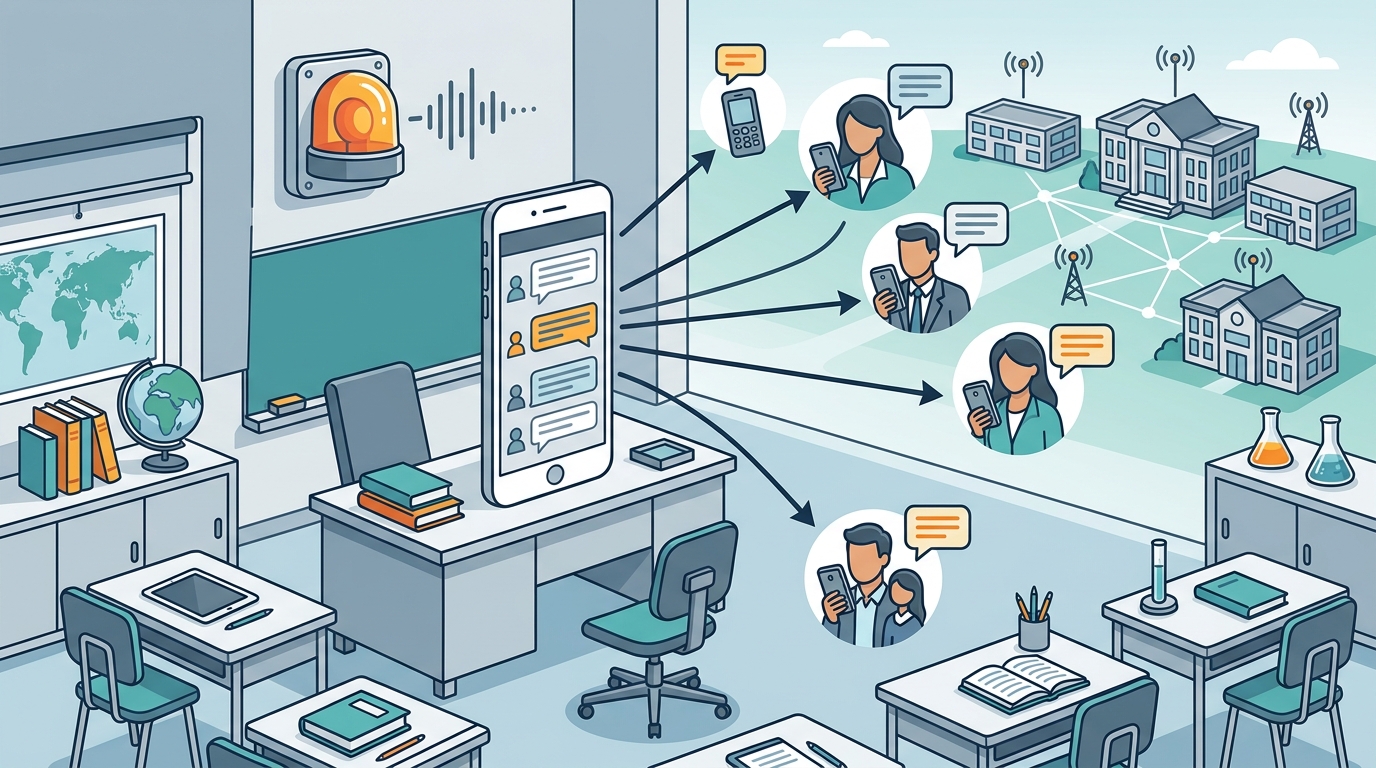
The system sends text messages to all designated contacts. This includes parents, staff, and administrators. The messages are sent via SMS, ensuring they reach the user's phone immediately. The content of the message is pre-programmed but can be customized to include specific instructions, such as "Shelter in Place" or "Evacuate to the Gymnasium."
Step 3: Two-Way Interaction
After the initial alert, the system opens a two-way communication channel. Users can reply to the text message with their status. The Command & Control platform aggregates these replies, providing a real-time dashboard of the school's safety status. This allows responders to identify individuals who have not responded and take appropriate action.
Cost Drivers for SMS Alerts
The cost of a text-based notification system varies based on several factors. Understanding these drivers helps you budget accurately. The primary cost components are the hardware, the software platform, and the monitoring service.
Hardware Costs
The cost of the physical devices, such as pull stations and strobes, depends on the size of your campus and the number of devices required. BluePoint offers customizable solutions, including the Compact Response Unit, which can be tailored to fit your specific needs. The hardware is a one-time cost, but it requires regular maintenance and testing.
Software and Monitoring Fees
The software platform and monitoring service are typically recurring monthly or annual fees. These fees cover the cost of the communication pathways, the central station monitoring, and the software updates. The cost per user can vary depending on the vendor and the level of service required. It is important to compare the total cost of ownership, including hardware, software, and monitoring, when evaluating different vendors.
Common Implementation Mistakes
Even with a robust system, implementation mistakes can undermine its effectiveness. One common mistake is failing to test the system regularly. Regular testing ensures that the devices are functioning correctly and that the communication pathways are reliable. Another mistake is not keeping the contact list up to date. If a parent's phone number changes and is not updated in the system, they will not receive the alert.
Outdated Contact Lists
Phone numbers change frequently. It is essential to have a process for updating the contact list regularly. This can be done through an online portal where parents can update their information. BluePoint's platform allows for easy management of contact lists, ensuring that alerts are always sent to the correct numbers.
Lack of Staff Training
Staff members must be trained on how to use the system. They need to know how to activate the pull stations and how to use the Command & Control platform. Regular training sessions and drills are essential to ensure that staff are prepared to respond effectively in an emergency.
Text vs. App-Based Systems
App-based systems offer advanced features like push notifications and in-app chat. However, they have a significant limitation: they require the user to install the app. If a parent has not installed the app, they will not receive the alert. This is a critical gap in safety coverage. Text-based systems do not have this limitation. They work on any phone, regardless of whether an app is installed.
| Installation Required | No | Yes |
| Reach | 100% of phone users | Only app users |
| Two-Way Communication | Yes (SMS) | Yes (In-App) |
| Reliability | High (Cellular Network) | Medium (Data Connection) |
Text Alerts for Specific Scenarios
Different emergency scenarios require different notification strategies. For an active threat, the priority is to alert law enforcement and building occupants immediately. For a medical emergency, the priority is to notify on-site responders and emergency medical teams. BluePoint systems are designed to handle both types of emergencies with specific device configurations.
Active Threat Scenarios
In an active threat scenario, the School Alert system triggers a mass notification to all occupants and law enforcement. The text messages include specific instructions, such as "Lockdown" or "Evacuate." The two-way communication feature allows responders to verify the safety of individuals in real-time.
Medical Emergency Scenarios
In a medical emergency, the Medical Alert system notifies on-site responders and emergency medical teams. The text messages are sent only to the appropriate medical responders, not law enforcement. This ensures that the right people are notified for the specific type of emergency.
Compliance and Data Protections
Schools are subject to strict data protection regulations. The system must comply with laws such as FERPA (Family Educational Rights and Privacy Act) and COPPA (Children's Online Privacy Protection Act). These laws protect the privacy of student and parent data. A robust system must have strong security measures in place to protect this data.
Encryption and Access Control
The system must use enterprise-level encryption to protect data in transit and at rest. Access to the system must be restricted to authorized personnel only. BluePoint's Command & Control platform uses multi-factor authentication and secure server hosting to protect sensitive data. This ensures that only authorized personnel can access system controls and view sensitive information.
Local Infrastructure Considerations
The effectiveness of a text-based system depends on the local cellular infrastructure. In rural areas, cellular coverage may be limited. It is important to assess the cellular coverage in your area before implementing a text-based system. If coverage is limited, you may need to consider alternative communication methods, such as radio or satellite.
Cellular Coverage Assessment
Conduct a cellular coverage assessment of your campus and surrounding area. Identify any dead zones where text messages may not be delivered. If dead zones are identified, consider installing additional communication infrastructure, such as a cellular repeater or a satellite uplink. BluePoint's systems are designed to work with various communication pathways, including cellular and wired ethernet, to ensure maximum coverage.
Response Timing and Outcomes
Timing is critical in an emergency. The faster the alert is delivered, the faster the response can begin. A text-based system can deliver alerts within seconds of activation. This speed is essential for saving lives. The two-way communication feature allows responders to verify the safety of individuals in real-time, reducing the time it takes to account for all occupants.
Seconds Matter
In an active threat scenario, every second counts. A text-based system can alert law enforcement and building occupants within seconds of activation. This speed allows responders to arrive on scene faster and begin their response immediately. The BluePoint Alert Solution is designed to provide instant, interactive alerts that empower safety with real-time emergency communication.
Long-Term Measurable Results
Implementing a text-based notification system provides long-term benefits for your school. It improves safety, reduces response times, and increases peace of mind for parents and staff. Regular testing and training ensure that the system remains effective over time. The data collected from the system can be used to improve emergency response plans and procedures.
Continuous Improvement
The data collected from the system, such as response times and delivery success rates, can be used to identify areas for improvement. For example, if a particular area of the campus has poor cellular coverage, you can install additional infrastructure to improve coverage. If a particular group of users is not responding to alerts, you can investigate the reason and take corrective action. This continuous improvement process ensures that the system remains effective over time.
Key Takeaways
- Text-first systems offer 100% reach without requiring app installation.
- Two-way communication via SMS provides real-time situational awareness.
- UL-listed and FM-approved central stations ensure high reliability.
- Regular testing and contact list updates are essential for effectiveness.
- Hybrid systems combine text with other channels for maximum coverage.
- Compliance with FERPA and COPPA is critical for data protection.
- Local cellular infrastructure must be assessed before implementation.
- Long-term data analysis drives continuous improvement in response times.
Frequently Asked Questions
Does a text-based system work on all phones?
Yes, a text-based system works on any phone that can receive SMS messages. This includes both smartphones and basic feature phones. This ensures maximum reach for all parents and staff.
How fast are the text alerts delivered?
Text alerts are typically delivered within seconds of activation. The exact delivery time depends on the cellular network conditions, but a robust system is designed to minimize delays.
Can I customize the text message content?
Yes, you can customize the text message content to include specific instructions and information. This allows you to tailor the message to the specific emergency scenario.
How do I keep the contact list up to date?
You can use an online portal where parents and staff can update their phone numbers. This ensures that the contact list is always current and that alerts are sent to the correct numbers.
Is the system secure?
Yes, the system uses enterprise-level encryption and multi-factor authentication to protect sensitive data. Access is restricted to authorized personnel only.
What happens if the cellular network goes down?
A robust system uses redundant communication pathways, including cellular failover, to ensure alerts are transmitted even if the primary network fails. This ensures that the system remains operational during network outages.
Can the system integrate with existing security hardware?
Yes, the system can integrate with various security hardware, such as pull stations, access control systems, and video surveillance systems. This integration ensures that a physical alert automatically triggers a mass notification.