

Yes, there are school emergency notification systems that work by text message without requiring an app. BluePoint Alert Solutions provides a rapid response platform that sends instant SMS, email, and voice alerts to designated responders and building occupants. This guide covers how text-first platforms function, why they outperform app-based systems during crises, and how to implement a reliable notification strategy for your campus.
School Notification Platforms
School notification platforms are software and hardware ecosystems designed to disseminate critical safety information during emergencies. These systems range from simple mass texters to complex incident management hubs. The primary goal is to reduce the time between an incident and the response of both on-site staff and external first responders.
The Limitations of Traditional Mass Notification
Traditional mass notification systems often rely on a single channel, such as a phone tree or a generic SMS blast. While these tools can inform a large audience, they lack the interactivity needed for active threat situations. They do not provide real-time location data or two-way communication, which are essential for coordinating a lockdown or evacuation.
Interactive Rapid Response Systems
Modern platforms like BluePoint Command & Control move beyond simple broadcasting. They integrate hardware activation devices with a central software portal. This allows for interactive communication where building occupants can report their status, such as "I am safe" or "I need help," directly to the command group via text or email. This two-way flow of information provides situational awareness that static text blasts cannot achieve.
Text Message vs. App-Based Systems
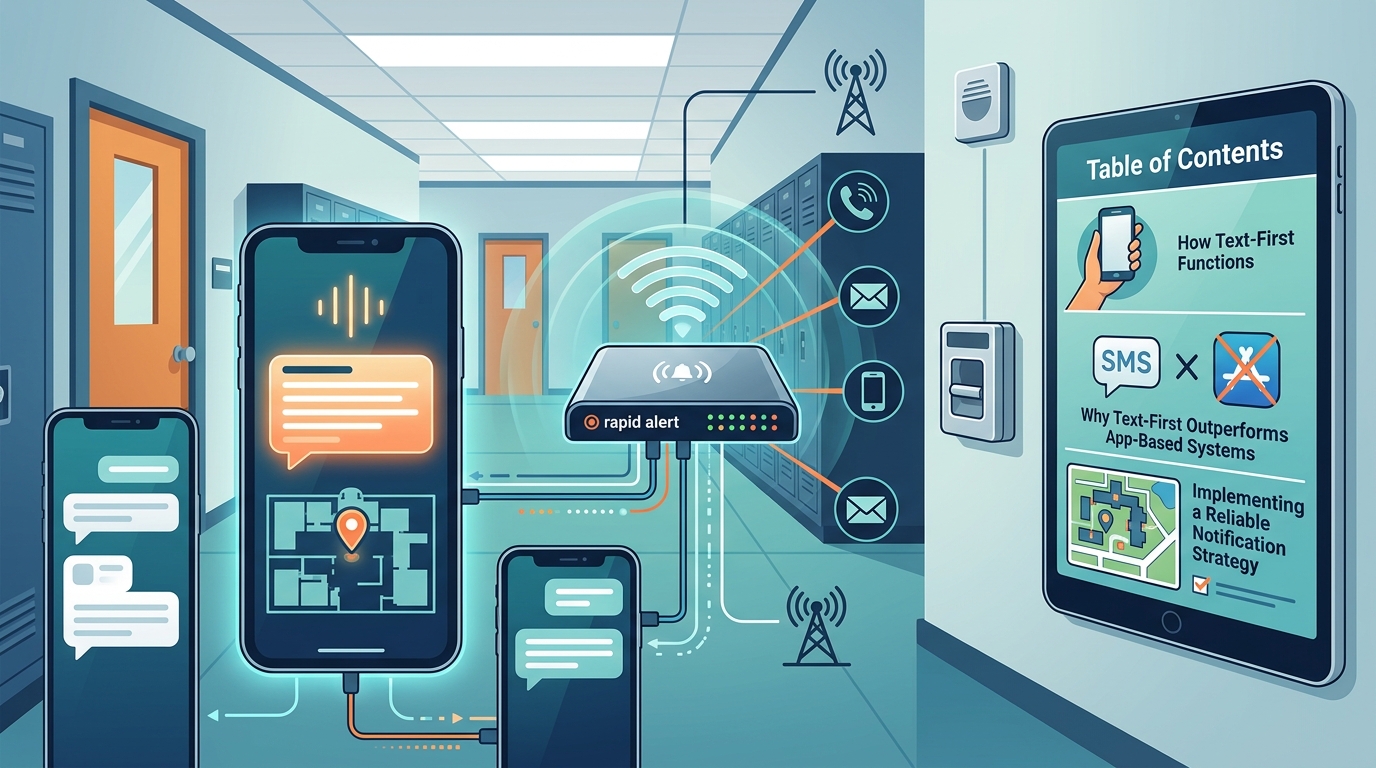
One of the most critical decisions for school administrators is choosing between app-based and text-based notification methods. App-based systems require users to download, install, and log into a specific software application to receive alerts. In contrast, text-based systems utilize the native SMS or email capabilities of standard mobile devices.
Why Apps Fail in Emergencies
App-based systems suffer from significant adoption barriers. During a crisis, a user who has not installed the app, or whose phone battery is dead, will not receive the alert. Furthermore, in high-stress situations, users may not remember their login credentials or may be unable to navigate a complex interface. This creates a dangerous gap in communication coverage.
The Reliability of SMS and Email
Text messages and emails are universal. They require no additional software and work on virtually any mobile device. BluePoint Alert leverages this reliability by sending automated alerts via SMS, email, and voice calls simultaneously. This multi-channel approach ensures that the message reaches the recipient regardless of their specific device capabilities or app preferences. The system is designed to function even when the primary network is congested, using redundant communication pathways.
Implementation and Activation
Implementing a text-first notification system involves more than just setting up a software account. It requires the installation of physical activation devices and the configuration of response protocols. The goal is to create a seamless workflow from the moment an incident is detected to the moment responders arrive. according to Emergency Notification System
Hardware Activation Devices
Most effective systems use physical pull stations or panic buttons to trigger alerts. These devices are designed to be intuitive and require no training to operate. BluePoint Alert Solutions offers pull stations that mimic the familiar design of fire alarm pulls. This familiarity ensures that users can activate the system quickly, even in a state of panic. Wearable mobile pendants are also available, allowing staff or students to trigger an alert from anywhere on campus.
Configuring the Response Group
Once the hardware is installed, the software must be configured with the correct contact lists. This includes on-site staff, security personnel, and local law enforcement. The system allows for the creation of specific response groups for different types of emergencies, such as medical incidents versus active threats. This ensures that the right people are notified with the right information, preventing unnecessary panic or delayed response.
Key Takeaways
- Text-based notification systems are more reliable than app-based systems because they do not require software installation or login credentials.
- Interactive platforms provide two-way communication, allowing occupants to report their status and location to command staff.
- Physical activation devices, such as pull stations, ensure that alerts can be triggered instantly without fumbling for a phone.
- Multi-channel alerts (SMS, email, voice) maximize the likelihood that critical information reaches all stakeholders.
- Integration with law enforcement allows for faster response times by providing precise location data and incident context.
- Redundant communication pathways ensure that alerts are sent even if the primary network fails.
- Simple, intuitive activation is crucial for effective usage during high-stress scenarios.
Frequently Asked Questions
Does BluePoint Alert require an app to receive notifications?
No. BluePoint Alert sends alerts via SMS, email, and voice calls. Recipients do not need to download or install any specific application to receive these notifications.
How quickly are text messages sent after activation?
Alerts are sent in seconds after a device is activated. The system is designed to minimize delay to ensure a rapid response.
Can the system notify law enforcement directly?
Yes. The platform can be configured to notify local law enforcement agencies directly, providing them with the building name, address, and device type.
Is training required to use the activation devices?
No. The devices are designed to be simple and intuitive, similar to a standard fire alarm pull station. Users only need to know when and what to do after activation.
Does the system work if the internet goes down?
Yes. BluePoint systems use redundant communication pathways, including cellular failover, to ensure alerts are transmitted even if the primary network fails.
Can I customize who receives the alerts?
Yes. You can create customizable groups of responders, including on-site staff, administrators, and first responders, to ensure the right people are notified.
Conclusion
Choosing a notification system that relies on text messages rather than apps is a critical decision for school safety. It ensures that your communication strategy is robust, accessible, and effective during the most stressful moments. By leveraging a platform that combines intuitive hardware with reliable, multi-channel software, you can bridge the gap between incident detection and life-saving response. Contact BluePoint Alert Solutions to learn more about how their rapid response systems can protect your campus.